Income
Income answers what your portfolio pays you: dividends received and expected, after tax withheld at source, year by year.
The year in figures
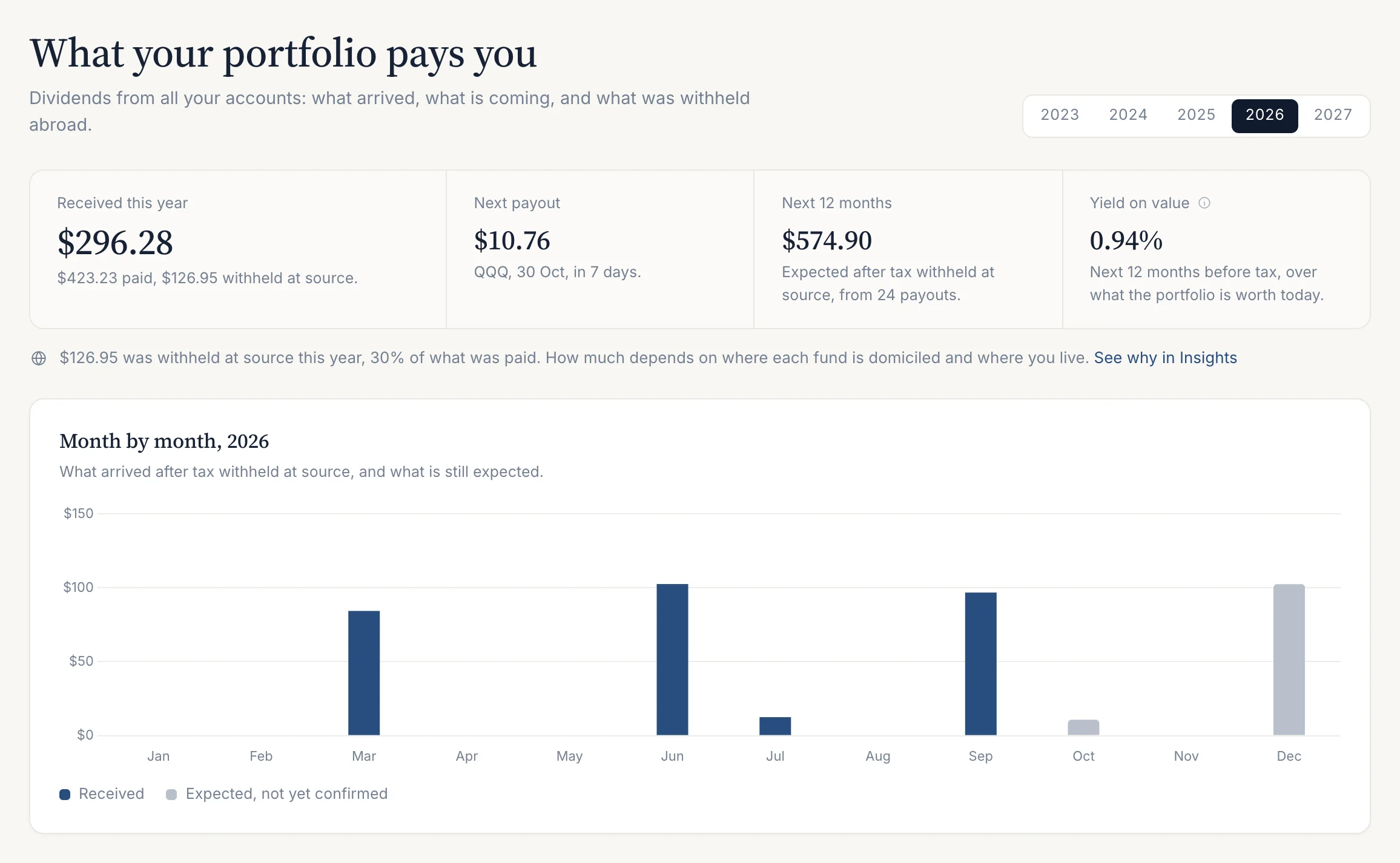
Income (/income) opens with what was received this year (or in the year you choose, or expected in a future one), the next payout, the next 12 months and the yield on value. When tax was withheld, a line says how much and links to Tax and domicile, which explains why.
Month by month
The chart shows each month’s payouts: received in blue, and expected but not yet confirmed in grey.
Coming up
Upcoming payouts are forecast from what each holding paid before, after tax withheld at source where your residence is set. A payout the company has declared is marked Confirmed.
Received
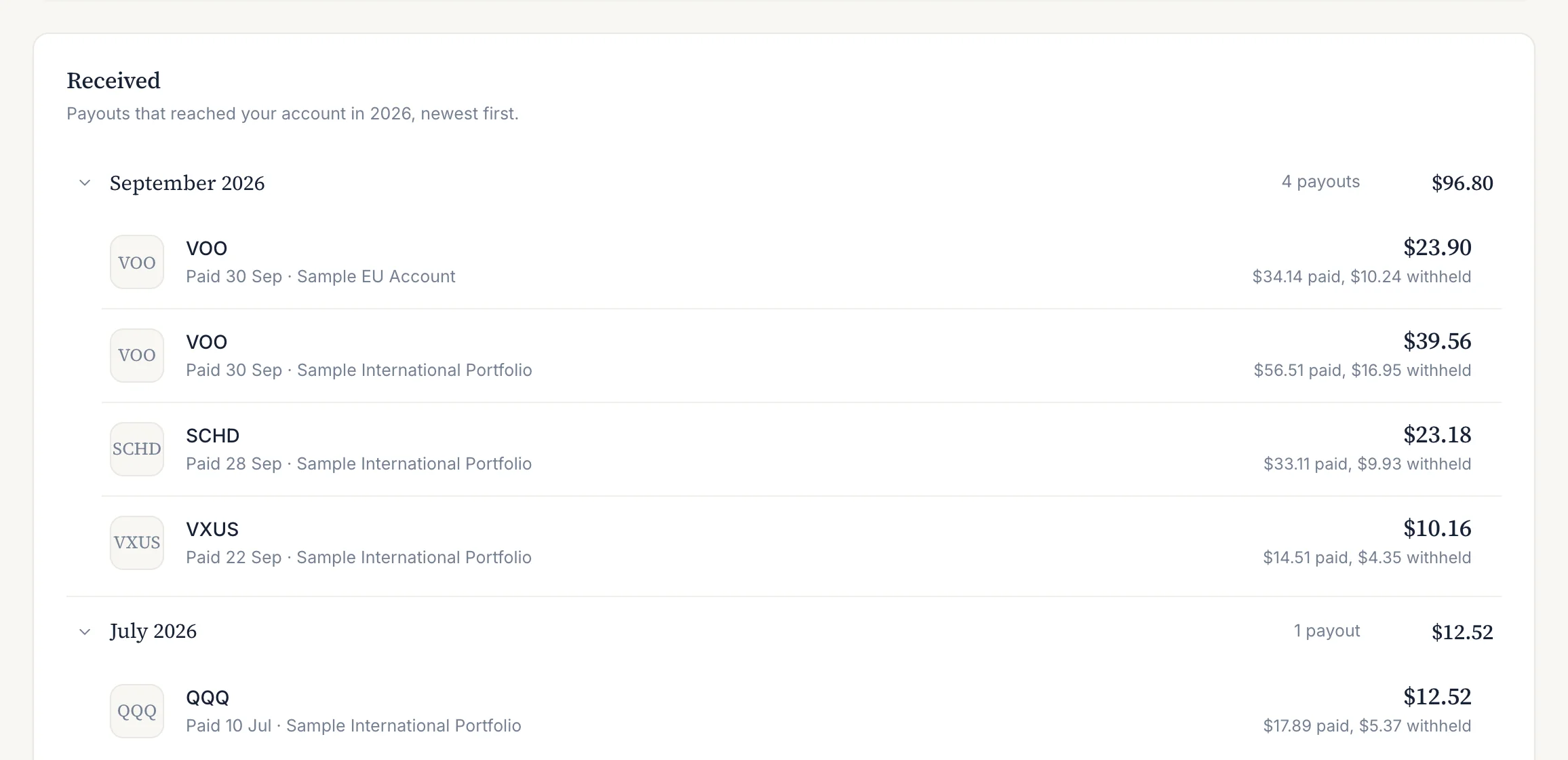
Payouts that reached your account in the year, newest first and grouped by month, each with the amount after withholding and the gross amount beneath it.
How payments are worked out
A paid dividend is priced on the shares you held on the ex-dividend date; a forecast uses your current quantity. The amount after withholding applies the rate for the security and your residence; see Tax and domicile. Dividends you reinvested show up as purchases on Investing.
Free and Pro
Free lists the current calendar year’s payouts. Pro adds every other year and the 12-month forecast beyond December. Month totals are complete on both plans. See Plans and limits.
Last updated . Describes the Borderfolio app as built; screenshots are from the sample portfolio. Figures in the app are informational estimates, not tax, legal or investment advice.