Residency and settings
Profile & Settings is reached from your avatar at the top right. Its Residency section matters most: it drives every tax figure in the app.
Sections
Settings has five sections: Profile (your name; the email is your sign-in identity and is changed through support), Residency, Connections (see Connecting a broker), Security (password and account deletion, see Security and your data) and Subscription (see Plans and limits).
Residency
- Tax residence
- The country whose tax rules apply to you. It is the only setting that drives withholding and home-tax figures.
- Country of residence
- Where you live, if different.
- Citizenship
- Used only for the US estate-tax treaty check.
- W-8BEN
- Whether a W-8BEN is on file with your broker. Without one, US dividends are taken as withheld at the 30% statutory rate instead of the treaty rate.
- Tax rates
- Your home rates on dividends and capital gains. They are prefilled from the residence you choose; you can override them, and Reset to your country restores the default.
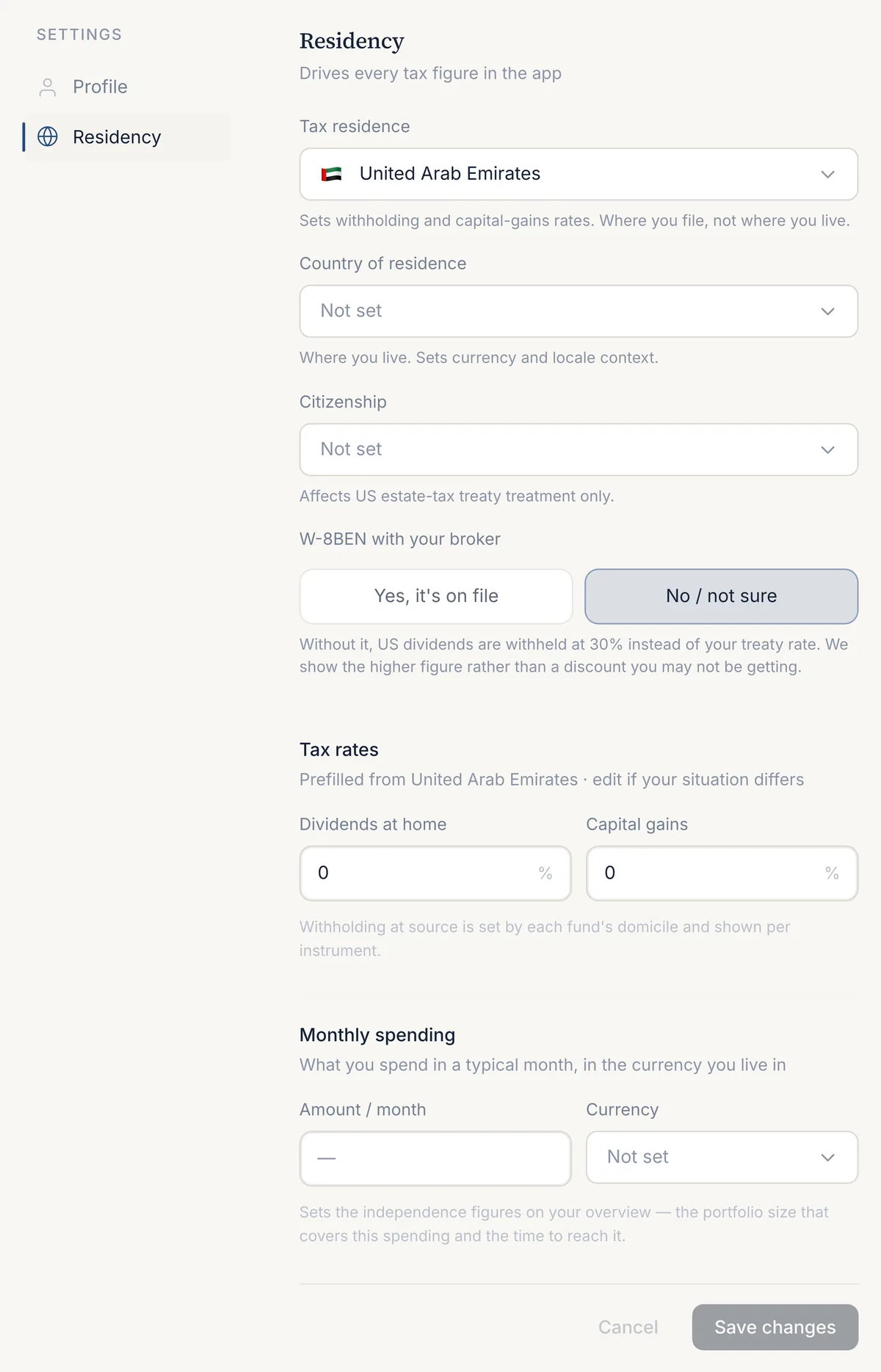
Monthly spending
Your monthly spending, with its currency, is the starting point for Independence. Until it is set, the Independence screen and the Overview card ask for it.
Portfolio settings
Settings that belong to one portfolio, such as its name, its currency and its target allocation, are in that portfolio's settings, reached through Manage portfolios in the switcher. See Portfolios and holdings.
Guided tour
Under Profile, Show the tour again replays the short walkthrough on the Overview, Holdings and Tax screens the next time you open the dashboard.
Cookie consent
The analytics cookie bar asks once whether product analytics may run. Analytics stays off until you accept, and the choice is shared between the app and this site. You can change it under Cookie settings in the footer. See the Cookie Notice.
Last updated . Describes the app at app.borderfolio.app as built; screenshots are from the sample portfolio. Figures in the app are informational estimates, not tax, legal or investment advice.