Wealth
Wealth answers what you own in total: the investment portfolio together with savings, deposits, property and the rest, after what you owe. It is part of Pro.
Net worth
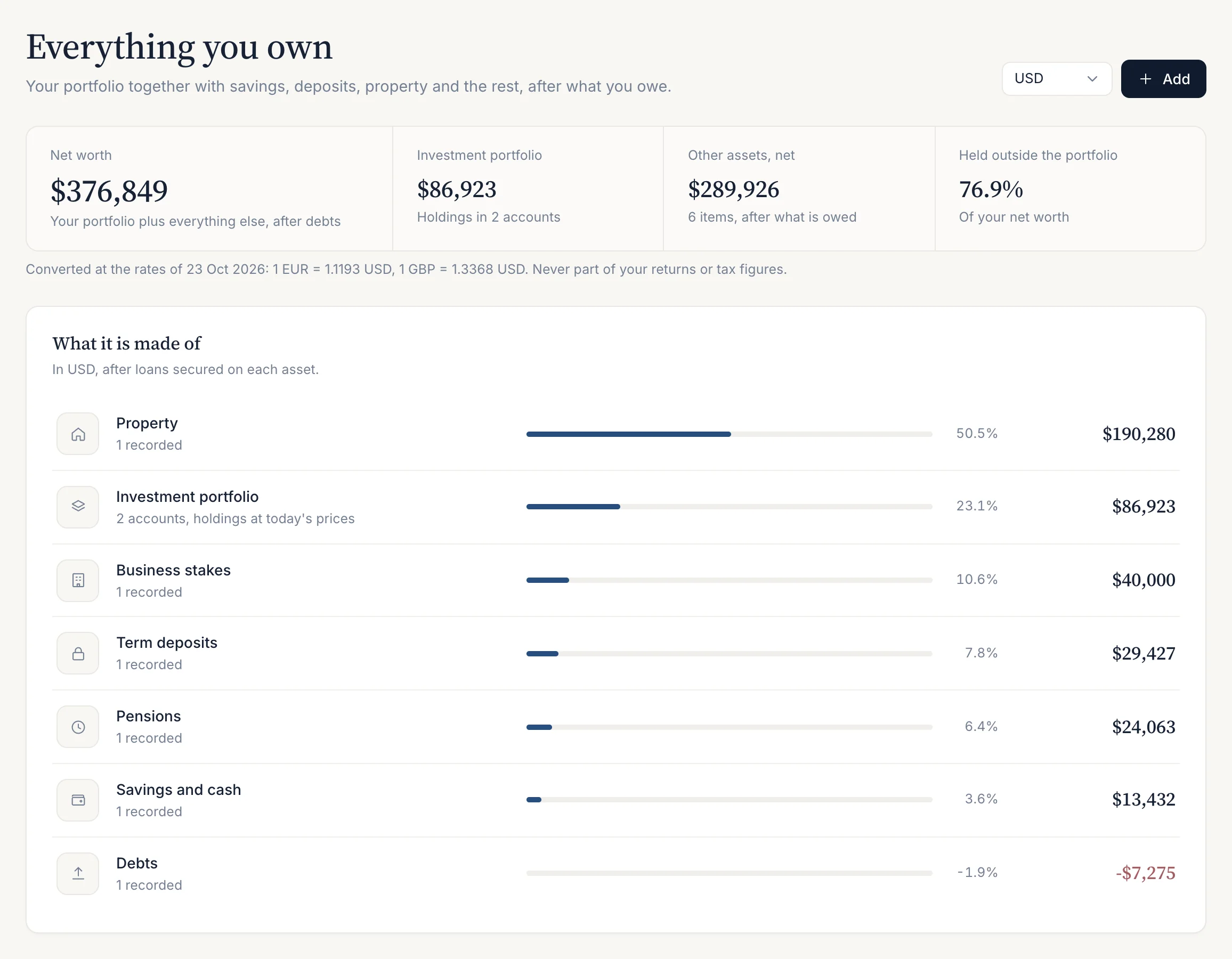
Wealth (/wealth) opens with four figures: Net worth, the Investment portfolio, Other assets, net and the share Held outside the portfolio. Choose the currency to show them in at the top of the page. Amounts in other currencies are converted at the latest cached exchange rate, and the rate’s date is shown under the figures.
Net worth is printed only when every part is known. If one holding has no price, or one asset has no value, the total is shown as “—” with the reason instead of a figure that leaves something out.
What you can add
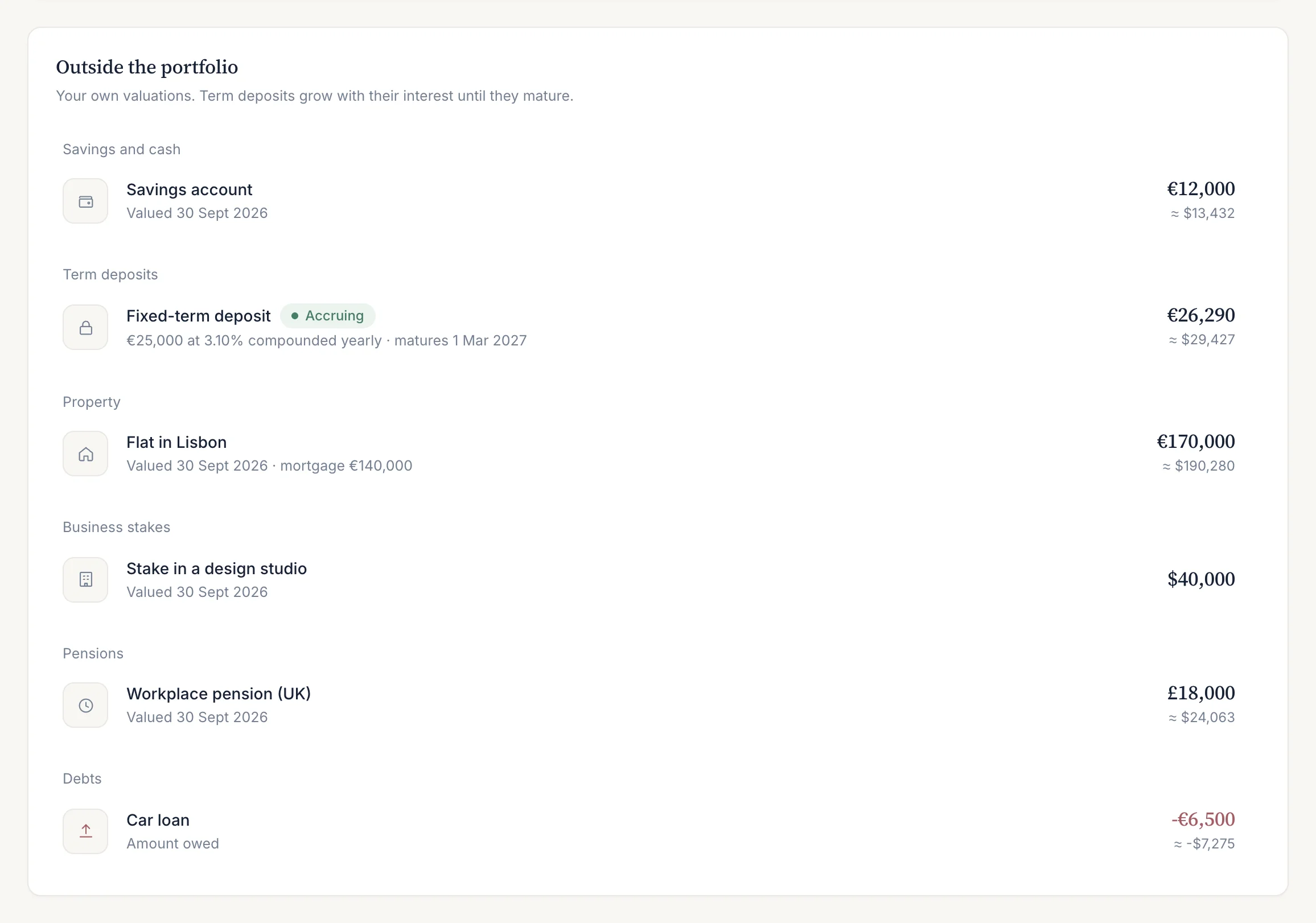
- Savings and cash
- A value in any currency, with the date it was valued.
- Term deposits
- Principal, rate, start date, optional maturity and how the bank adds interest (yearly, monthly or simple). The value is worked out from these terms: interest to date, stopping at maturity.
- Property
- A value and, optionally, the mortgage outstanding. The property counts net of the mortgage.
- Business stakes, pensions, insurance policies, private funds and other assets
- The value you enter; a loan secured on a business, a policy or another asset is netted against it.
- Debts
- A standalone debt such as a car loan, subtracted from net worth.
Each kind is grouped under What it is made of, in the chosen currency after loans secured on each asset, with the list of assets below. You can edit or delete any of them.
Kept apart from returns and tax
Nothing you add here is part of your returns, your tax figures or your income. Wealth only answers what you own. The portfolio line follows the accounts chosen under Showing.
Plan
Wealth is part of Pro. On Free the page shows what it contains, with the way to upgrade; see Plans and limits.
Last updated . Describes the Borderfolio app as built; screenshots are from the sample portfolio. Figures in the app are informational estimates, not tax, legal or investment advice.