Portfolios and holdings
In Borderfolio a portfolio is one broker account: one currency, one broker, one record of positions and transactions. With more than one, the switcher adds a combined view across all of them.
A portfolio is an account
Each portfolio has a name, a currency, an optional broker name and a flag for tax-advantaged accounts. Create one per brokerage account or tax wrapper you hold. The first portfolio you create becomes the default. Free includes one portfolio; Pro includes up to five (see Plans and limits).
The portfolio switcher
The switcher at the top right shows which portfolio you are looking at and its value. Open it to change portfolio. Accounts are sorted by value, each with its currency and when it was last synced.
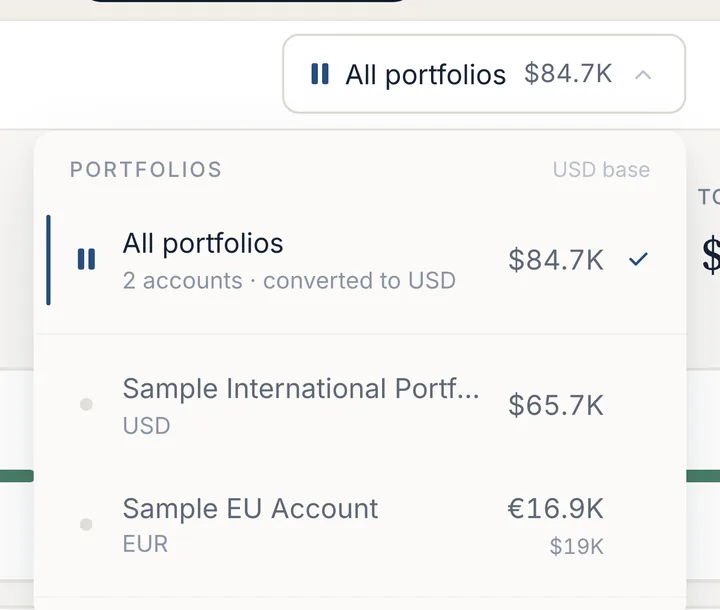
With two or more accounts, All portfolios combines them, converted to one base currency. The Overview, Holdings, Contributions, Dividends and Performance screens work on the combined view. Screens whose answer only makes sense per account (Tax detail, Planner and Snapshots) ask you to pick one. The exception on Tax is the US estate figure, which applies to you as a person and is therefore always added up across accounts.
At the bottom of the switcher, Add portfolio starts another import, and Manage portfolios lets you rename a portfolio or delete it. Deleting asks you to type the portfolio's name and removes its positions, contributions, snapshots, dividend records and statement history.
Holdings
Holdings (Portfolio → Holdings) lists every position with its shares, value, share of the total, expected income a year (with the part withheld at source) and profit or loss against what you paid. Three bars at the top split the portfolio by position, by currency and by fund domicile, which is the first place to see how much of it is US-domiciled.
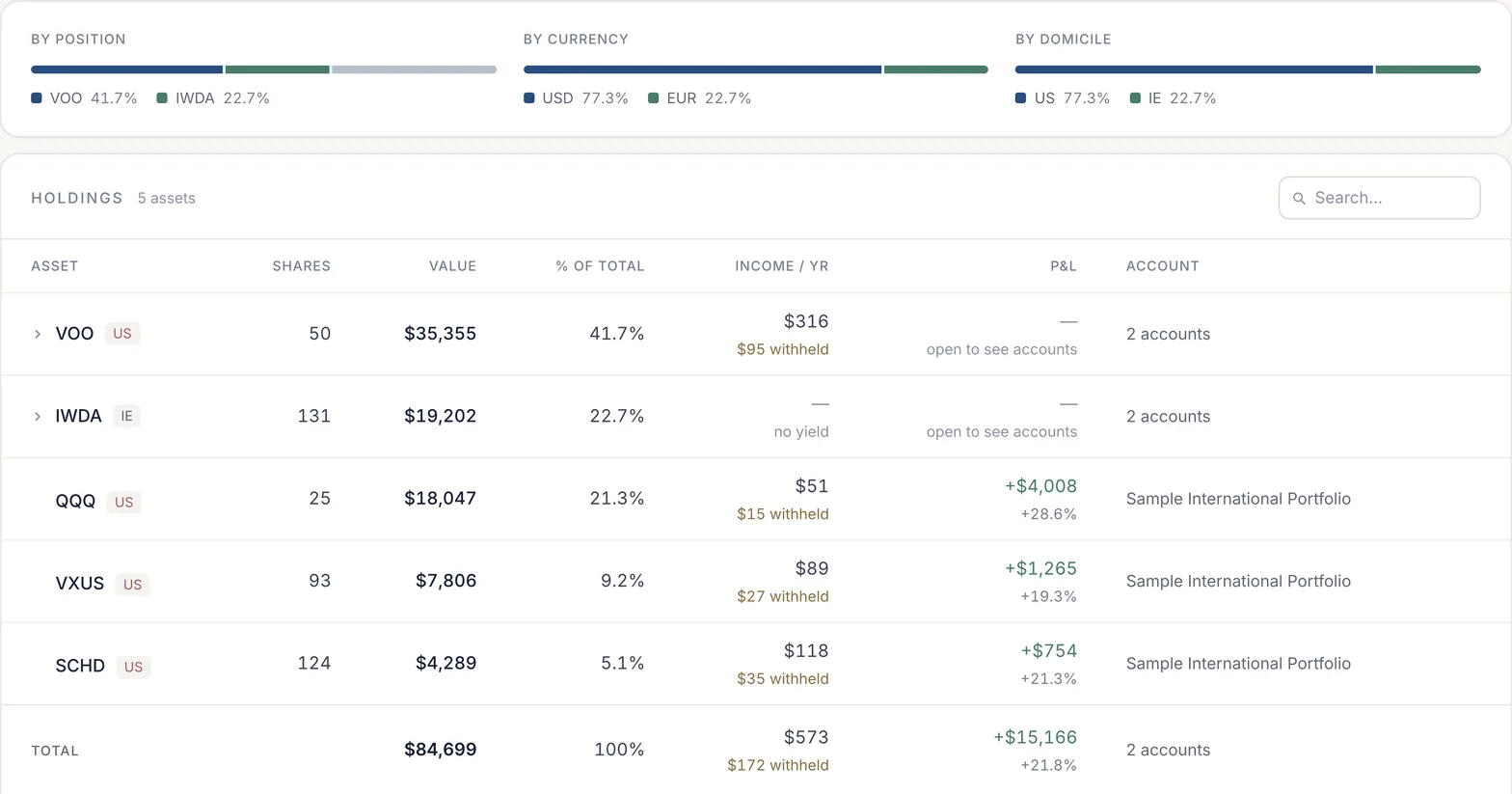
In the combined view, values are converted to the base currency at the current rate, which is stated under the table. Cost basis belongs to each account, so a ticker held in two accounts shows its profit or loss once you open the row.
Monthly snapshots
Snapshots (Portfolio → Snapshots) is the portfolio's month-by-month history: value, what you contributed, growth net of contributions, dividend income and the change on the month. Open a month to see the holdings as they stood then. Months taken from an imported statement are marked From statement; the current month is live.
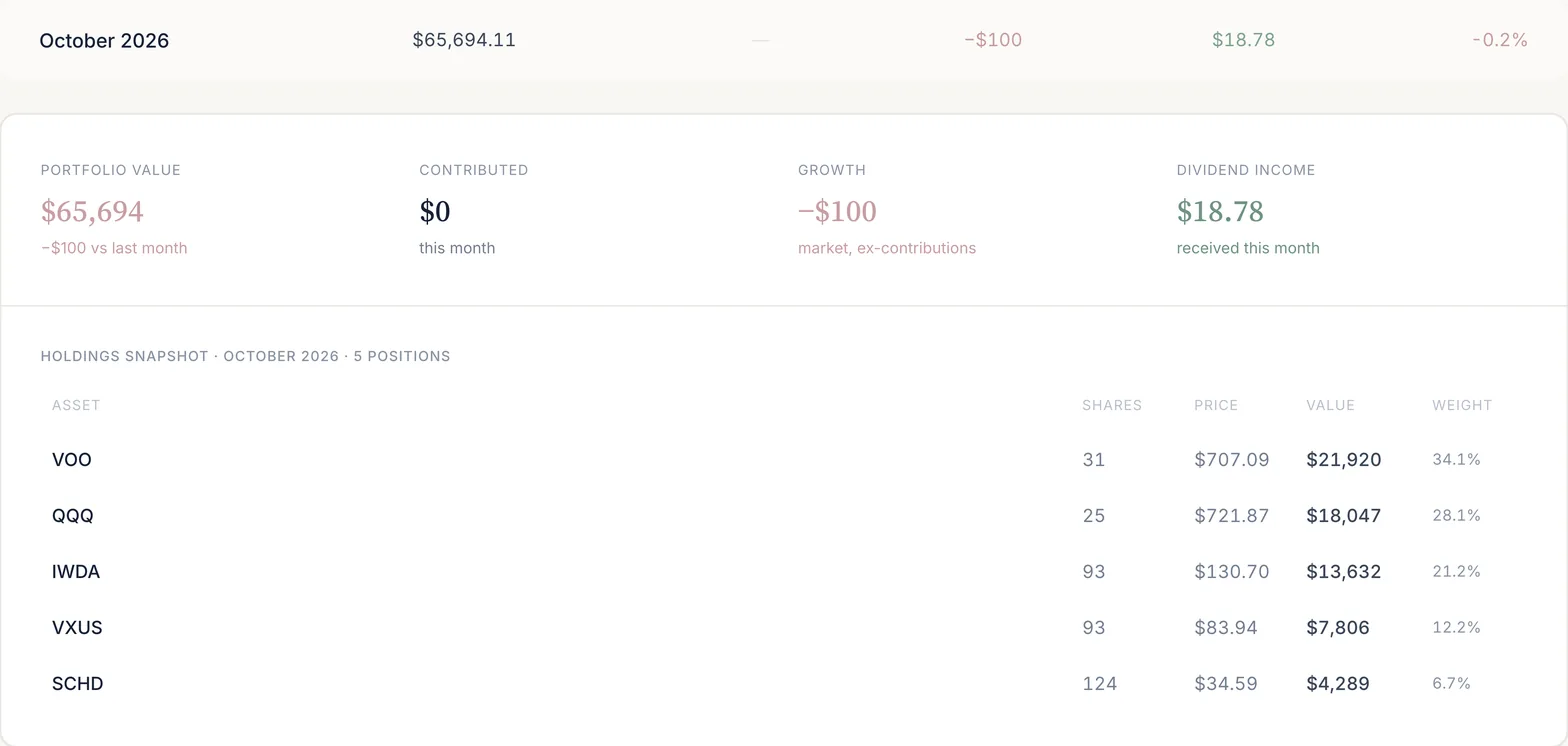
The Free plan shows the last three months of snapshots; Pro shows the full history.
Target allocation
In a portfolio's settings, under Allocation, you can set a target weight for each holding. Weights must add up to 100%, or be cleared. The app suggests no default weights. The Planner then shows each holding's drift from target and can split a contribution by target weights; see Planner and independence.
Currencies
Each portfolio keeps its own currency, set when you create it and changeable in its settings. The combined view converts to one base currency using ECB reference rates, refreshed through the day (the Ukrainian hryvnia comes from a separate market source). Historical transactions are converted at the rate on their own date, so a past contribution does not change value when the exchange rate moves. The supported currencies are listed on coverage.
Last updated . Describes the app at app.borderfolio.app as built; screenshots are from the sample portfolio. Figures in the app are informational estimates, not tax, legal or investment advice.