Contributions
A contribution is money you put in. Borderfolio keeps it apart from what the market did with it, because a portfolio that grew only through deposits has not performed.
The Contributions screen
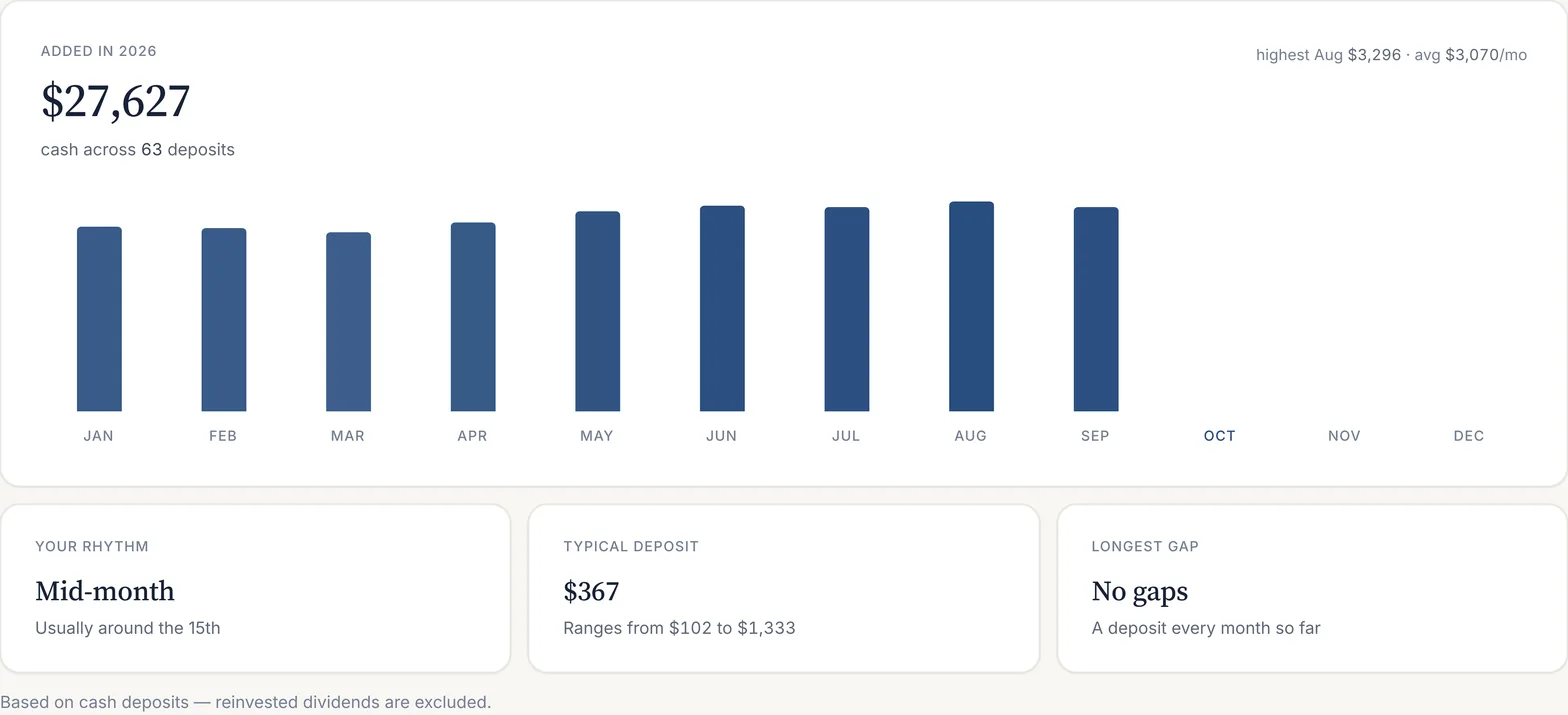
Portfolio → Contributions shows the cash you added in the selected year, month by month, with the total, the number of deposits, the highest month and the monthly average. A streak counter at the top shows how many consecutive months you have contributed.
Your rhythm
Below the chart are three readings of your habit: when in the month you usually invest, your typical deposit and its range, and the longest gap between deposits. They are computed from cash deposits only.
New money and reinvested dividends
A dividend that is reinvested buys shares, but it is not new money: it is a return the portfolio produced. The app therefore counts it separately. When you add a contribution by hand you mark its funding as New money or Reinvested dividends, and the rhythm and totals use new money only.
All contributions
The full list can be searched by ticker, filtered by year and grouped by date or by ticker, and exported as CSV. On Free, the last three months are shown; Pro keeps the full history and the analytics on it.
Adding a contribution by hand
+ Add opens a form for the ticker, price, number of shares, date and funding. You can choose whether the position is updated at the same time. Imported statements add contributions automatically; see Importing statements.
Where contributions show up
The Overview splits this month's change into what you contributed and what the market returned. Performance subtracts net contributions before it calls anything a gain. The Planner models the next contribution. The method is set out in true return methodology and on contribution tracker.
Last updated . Describes the app at app.borderfolio.app as built; screenshots are from the sample portfolio. Figures in the app are informational estimates, not tax, legal or investment advice.